
AI Vocal & Music Separation for Mac

Split any track into vocals, drums, melody & bass — right on your Mac.

Soundify separates music and vocals with on-device AI, strips dialogue from video, and records system audio from any app. Nothing is ever uploaded — your files never leave your Mac.

Download on the Mac App Store
Free download macOS 12.4+ Apple Silicon & Intel
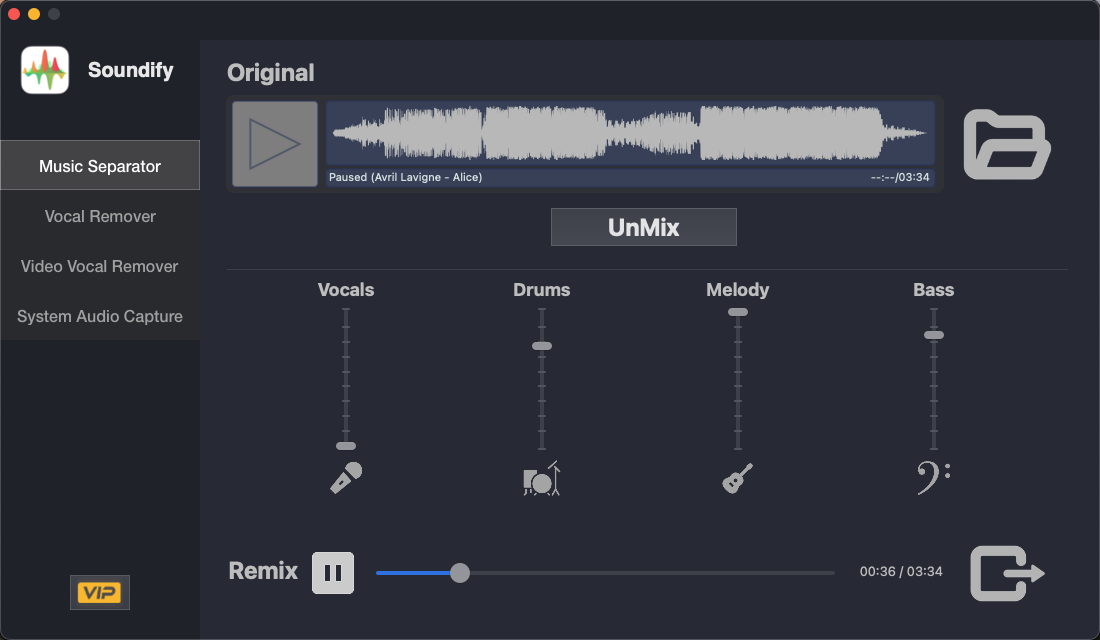
Soundify's Music Separator splitting a song into Vocals, Drums, Melody and Bass stems, each with its own remix slider
100% on-device

Nothing is ever uploaded

Apple Silicon native

Full M-series & Intel support

4-stem separation

Vocals · Drums · Melody · Bass

Free to download

On the Mac App Store

Everything in one toolkit

Four tools. One AI engine.

From full stem separation to a quick karaoke track, Soundify picks the right balance of speed and precision for the job.

Music Separator interface showing four remix sliders for Vocals, Drums, Melody and Bass

Studio-grade stems

Split any song into four clean stems

A high-fidelity separation model isolates vocals, drums, melody, and bass with remarkable detail. Mute, solo, or rebalance each stem, then remix them back together — perfect for building near-professional multitracks from a single audio file.

  • Vocals, drums, melody & bass in one pass
  • Live remix sliders for every stem
  • Export any combination as a new mix
Vocal Remover interface separating a track into a Vocal file and a Background file

Karaoke in seconds

Pull vocals out — or isolate them — instantly

When you need speed, the streamlined Vocal Remover splits any track into a clean vocal file and a background/instrumental file in moments. Great for karaoke tracks, podcast cleanup, or lifting an isolated vocal line.

  • Supports WAV, MP3, AAC (M4A) & AIFF
  • Faster turnaround than full stem separation
  • Save vocal and background tracks separately
Video Vocal Remover playing a video with options to Remove Vocal or Remove Background

For video editors

Mute or isolate dialogue in any video

Drop in a video file and remove spoken vocals while keeping the score, or export a dialogue-only track. Ideal for trailer edits, highlight reels, dubbing prep, or muting a copyrighted music bed.

  • Keeps your original video quality intact
  • Export voice-only or music-only cuts
  • Frame-accurate playback scrubber
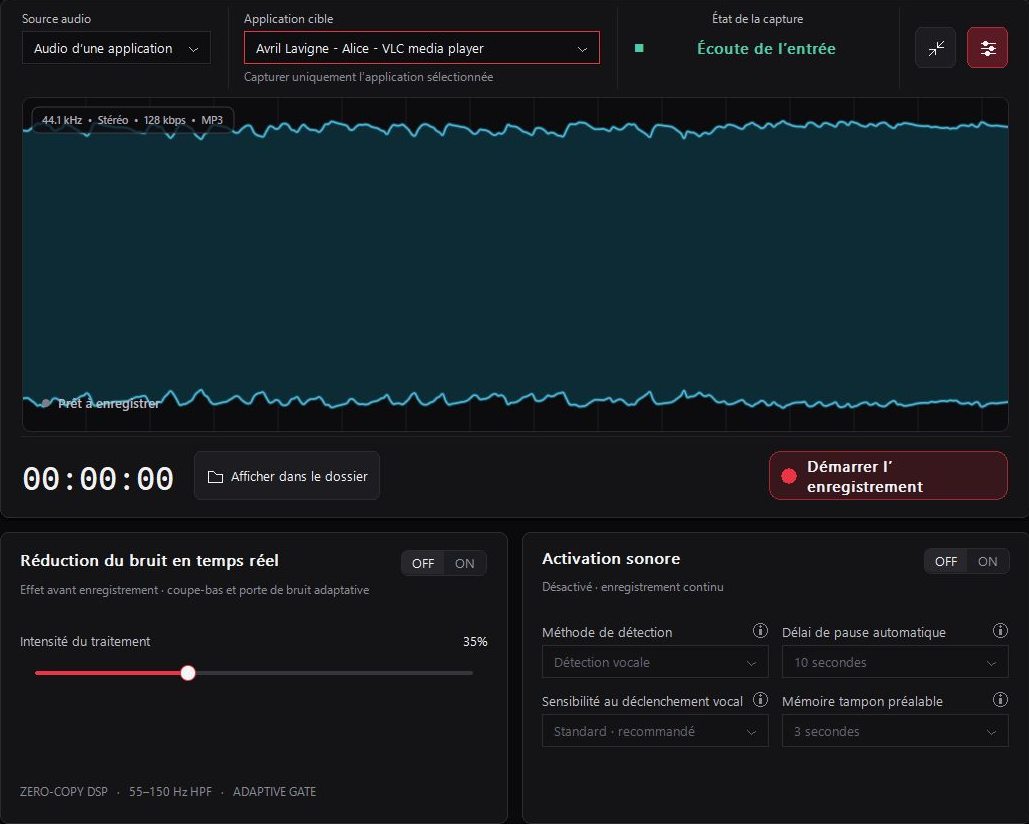
System Audio Capture showing real-time left and right channel waveform monitoring

Record anything playing

Capture system audio from any app

Record the internal audio output from Safari, streaming services, games, or any Mac app — no virtual cable setup required. Feed the raw recording straight into Music Separator or Vocal Remover for endless remixing.

  • Real-time left/right signal monitoring
  • One click to finish recording and save
  • Pristine, uncompressed capture quality

Why Soundify

Built to respect your files — and your hardware

Private by design

All separation runs locally with on-device AI. Your music and videos never leave your Mac, and nothing is ever uploaded to a server.

Beyond center-cut

A modern AI model — not the old center-channel trick — handles stereo and mono alike, with far more thorough separation and almost no loss of detail.

Built for Apple Silicon

Native support for Apple Silicon and Intel Macs means Soundify uses the full power of your hardware, from M-series chips to older machines.

Every format you need

Import WAV, MP3, AAC (M4A), and AIFF — export clean stems in the format that fits your workflow.

Questions

Frequently asked questions

Does Soundify upload my audio or video anywhere?

No. Every separation runs entirely on your Mac using on-device AI. Your files are never sent to a remote server.

What file formats are supported?

Soundify imports WAV, MP3, AAC (M4A), and AIFF audio files, and works with common video formats for the Video Vocal Remover.

Do I need Apple Silicon?

No — Soundify runs natively on both Apple Silicon and Intel Macs, and automatically takes advantage of Apple Silicon performance where available.

What's the difference between Music Separator and Vocal Remover?

Music Separator produces four individual stems (vocals, drums, melody, bass) with the highest fidelity, which takes a bit more processing time. Vocal Remover is a faster, streamlined path that splits a track into just vocal and background — ideal when you need a quick karaoke or instrumental version.

Is Soundify free?

Soundify is free to download from the Mac App Store, with optional VIP features available inside the app.

Ready to hear your music differently?

Download Soundify free from the Mac App Store and start separating in minutes.

Download on the Mac App Store

Requires macOS 12.4 or later