Soundify
Four stems to shape your mix
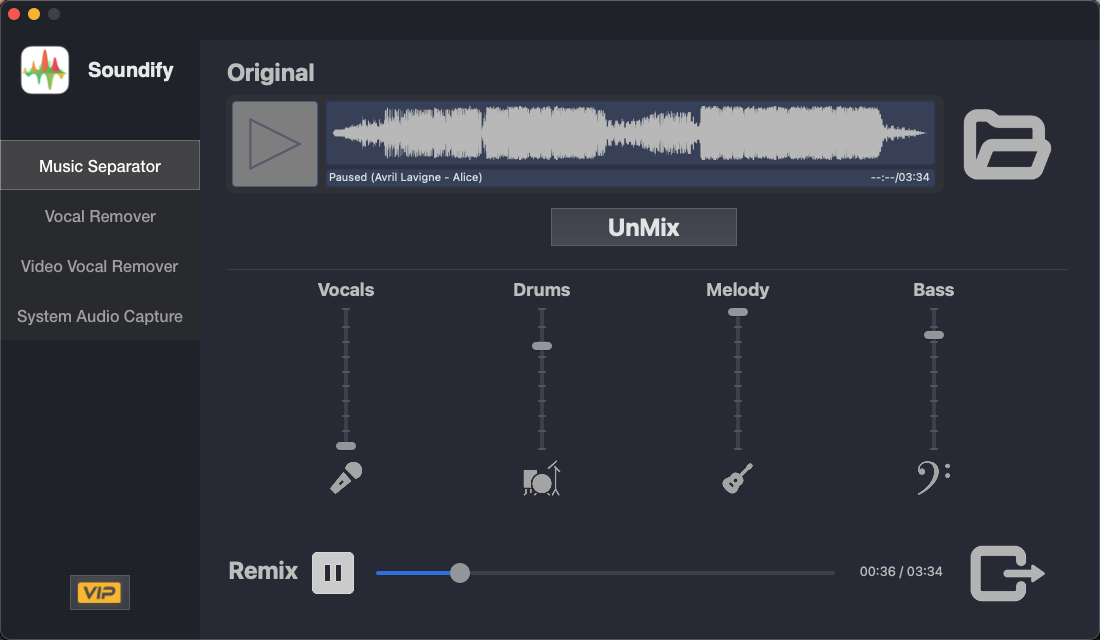
Music Separator on Mac separates a song into vocals, drums, melody and bass. Listen to the result, adjust each stem’s level and export your new mix.
Features
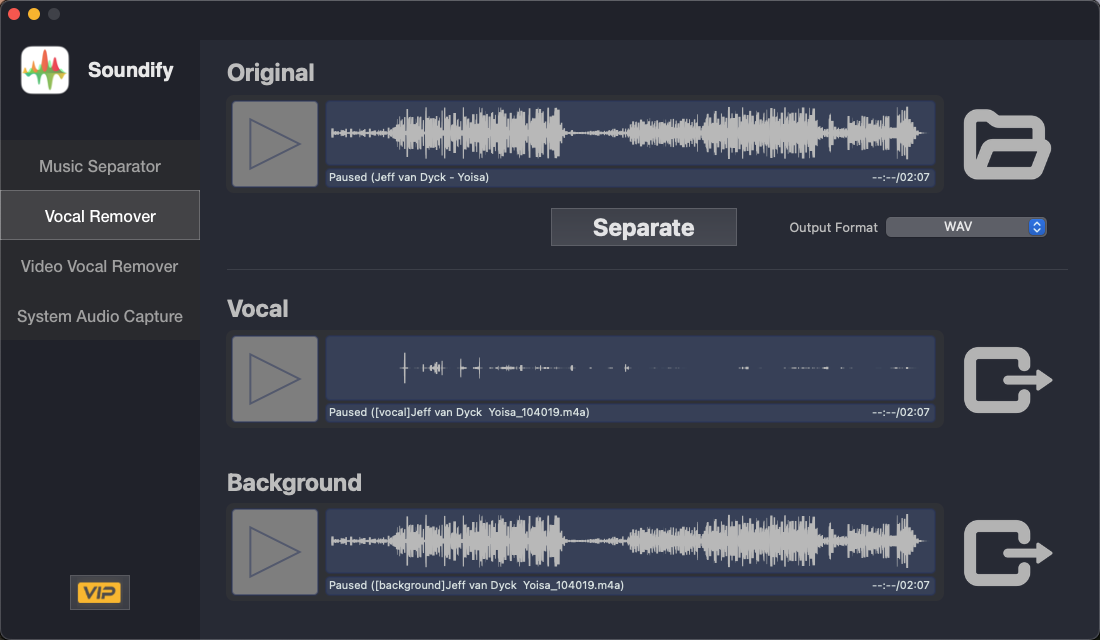
Build a karaoke backing track, practise with an instrumental or work with an isolated vocal.
Soundify
Music Separator on Mac separates a song into vocals, drums, melody and bass. Listen to the result, adjust each stem’s level and export your new mix.
Soundify
Separate the vocal and accompaniment, then choose the audio you want to use in your project.
On Mac, Video Vocal Remover can remove the voice or background and save a new video.
Soundify’s Mac system audio capture records playback on macOS 13 or later, with Screen Recording permission.
The Mac separation tools process audio locally. You do not upload the source audio to a separation server.
Tutorials
FAQ
Yes. Soundify separates the vocal and accompaniment so you can listen to and export the part you need.
Results depend on the original mix. Reverb, layered vocals and overlapping instruments can leave audible traces. Listen to the result before using it in a project.
Soundify is available for Windows and Mac through the store links on its product page. Audio Recorder+ is available for Windows through Microsoft Store.
Soundify
Mac audio import: WAV, MP3, M4A and AIFF. Check the linked stores for current system requirements, availability and purchase details.